 HackerTube.runGood videos, with context.
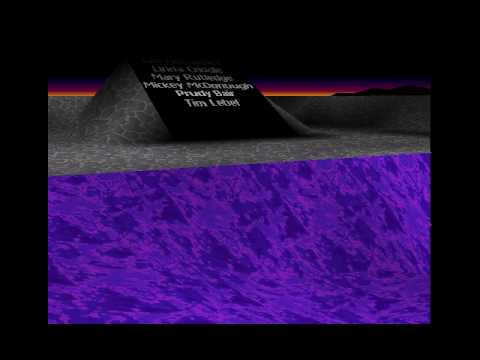
Excel 97 Easter Egg - Flight Simulation
About this video
A short screen recording of the flight simulator Easter egg hidden in Excel 97, with the steps to trigger it. The uploader notes the mouse controls are hard to handle.
Why it appears in the archive
HN commenters link it as a fond example of elaborate hidden Easter eggs in old Microsoft Office.
AI-generated summary and labels from the source dataset; verify important details against the video. Source & credits.
From the Hacker News discussion
Thought the OP meant the actual 3D game engine in Excel 97. Check out [VIDEO] One of the last easter eggs!
Read original comment ↗The flight sim Easter egg baked into Excel 97 got me hooked! [VIDEO] Warning - this video shows Clippy, the very irritating paperclip!
Read original comment ↗Dangerous is mostly the spaghetti business logic that results when excel spreadsheets get scaled up into systems . “Dangerous” in lighter ways: [VIDEO] Nostalgia requires this... [LINK]
Read original comment ↗I suspect what made companies exclude easter eggs was a sense that they were too big and "serious" for this sort of whimsical activity. And specifically for Microsoft, a sense that they were now targeting the Enterprise marketTM and were above all this consumer-grade behaviour. Interestingly Google still has easter egg behaviour for several queries, e.g. askew[1], which fits well with their corporate brand. To be clear, an easter egg is only supposed to be a (pleasant) surprise to the consumer -- not a secret kept from the rest of the team, especially QA. You can and should absolutely test your easter eggs. Yes, Excel's increasingly elaborate easter eggs[2] would probably find it hard to get past security review these days. But to say that easter eggs are bad because security doesn't make sense. Especially when companies include undocumented features in software all the time -- e.g., typing '=rand()' into newer versions of MS Word produces some random text, probably a lorem ipsum generator-like feature. [1] [LINK] [2] [LINK] , [VIDEO] , [LINK]
Read original comment ↗For me, I leave the big stuff and major contributions to work. I know that after work I don't have the energy to making anything world changing on my own. I read about digital gardening / digital puttering[0] several years back and that resinated with me a bit. I don't necessarily need major projects in my free time; that would feel like a burden on top of my job. What I do instead is have some relatively simple stuff I can putter around with. Add a feature here, refactor some code there, etc. It's not going to change the world, but they are things I find useful or interesting, even if they aren't a big deal. I ran across an interview[1] with James Thomson (developer of PCalc) a while back. If I remember it correctly, it seems like PCalc started out like, and still serves as his digital garden, even though he does make money off it. He needed a project to learn on, so picked the humble calculator as the idea. Then just kept going. Any time Apple released a new technology, he'd use PCalc as his test bed to learn it. Even when he wanted to learn 3D graphics, he ended up making an About screen for PCalc (as it's own app), that was basically a little 3D playground (a bit like the easter egg from Excel 97[2], but with more). That would be my advice. If you just have a few hours here and there, and are already making an impact at through work, don't let the FOMO eat you up, just tend to your garden. Maybe it will turn into something others will use, maybe not, but don't stress abou
Read original comment ↗Probably why the Excel team built a mini flight simulator right within the spreadsheet itself?!? :) [0] [0] - [VIDEO]
Read original comment ↗