 HackerTube.runGood videos, with context.
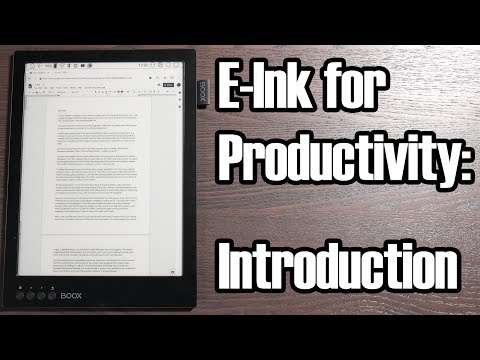
E-Ink for Productivity: An Introduction
About this video
Technology Connections gives first impressions of using an Onyx Boox Max2 e-ink tablet for productivity, including using it as an external display. He shows what the device can and cannot do.
Why it appears in the archive
HN recommends it, with its companion video, as an honest hands-on account of e-ink devices as monitors, including their slow software and limits.
AI-generated summary and labels from the source dataset; verify important details against the video. Source & credits.
From the Hacker News discussion
Technology Connections (amazing Youtube channel btw!) has a few videos on using an Onyx Boox Max as a 2nd monitor: [LINK] (Intro) [VIDEO] (2nd channel longer look, mini review) [LINK] (6 months later, tips / tweaks / long term review)
Read original comment ↗If you two are serious about this, you'll defintely want to check out Technology Connections' series on e-ink: (quick intro): [LINK] (starting the breakdown): [VIDEO] He talks about that exact concept and moves on to do real-world testing and setup of a very specific tablet usable as an external display. It's exactly as you say: Hacky and unpolished. But I found it extremely informative.
Read original comment ↗Take a look at the Onyx Boox Max series: [LINK] They're 13.3" displays, work with Android and you can use them as an external HDMI display. However, the refresh rate is still poor, not nearly 20-30Hz. The Technology Connections Youtube channel has made two very interesting videos, showing the many caveats of the device (it's an older model, but I'd guess most of it still applies). The main issues are poor software and slow CPU: [VIDEO]
Read original comment ↗Alec of the YouTube channel Technology Connections has a video[1] on his second channel that you might find interesting. He demonstrates how one can use modern E-Ink displays for basic Internet browsing and such. [1]: [VIDEO]
Read original comment ↗Alec of the YouTube channel Technology Connections has a video[1] about his experience with an E-Ink device on his second channel. He wanted to see if this would improve his productivity, so it's not exactly the same as your question, but it's still worth a watch, imho. [1]: [VIDEO]
Read original comment ↗the Technology Connections yt channel has an experience report about the Onyx Boox Max 2 tablet (13.3 inch): [VIDEO] tldw: it's not great for non-ereader tasks. the display is fine, but the tablet is hampered by slow hardware and bugs in its customized Android. using normal apps is challenging even with the compat tricks the OS gives you (e.g. disabling animations, "high contrast") he mentions that Onyx also offers a non-tablet e-ink monitor, maybe that's better?
Read original comment ↗About a year ago Technology Connections on youtube tried to use an eink display and thoroughly described his experiences. * E-Ink on Android, and other new things! [LINK] * E-Ink for Productivity: An Introduction [VIDEO]
Read original comment ↗There are certainly some e-ink devices that are able to do this, the TechnologyConnections fellow did a couple of videos that cover it, amongst other things: [VIDEO] & [LINK] Though he is using a Boox product and I'm wary of them over the GPL violation thing: as well as the general “they'd piss & moan and send the lawyers round if someone took their stuff and used it unlicensed” hypocrisy, the paranoid cynic in me thinks there is something they want to hide in their customisations (hooks for calling home or some such). Also, those clips are a few years old now so some of the problems he was having may have been ironed out in newer devices & software updates. Another option is running a VMC client on any tablet that isn't walled off so that you can't: there are a number of VNC servers that create a hidden virtual screen and mirror that so the connecting client because the extra screen.
Read original comment ↗