 HackerTube.runGood videos, with context.
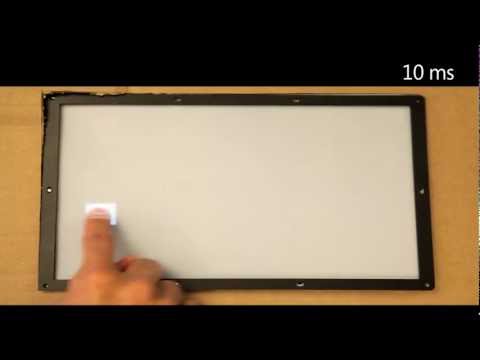
Applied Sciences Group: High Performance Touch
About this video
A Microsoft Research demo from TechFest 2012 of a lab touch system that lets viewers feel the effect of different input latencies, down to about 1 ms. It shows how much more responsive dragging feels compared with typical 100 ms touch delay.
Why it appears in the archive
HN commenters cite it whenever input latency comes up, as the demonstration that people can perceive touch delay down to 1 ms.
AI-generated summary and labels from the source dataset; verify important details against the video. Source & credits.
From the Hacker News discussion
Yes there is. Humans are normally not very responsive to the time between when an action is started and when it is carried out on the screen, but this changes for actions like drawing and dragging. This is the reason for the new Pro Motion behavior on the recently released iPad Pro models. For more information, this video [1] is a good place to start. [1] [VIDEO]
Read original comment ↗It can be very detectable, I'd say. Try watching this: [VIDEO] It shows the difference between from >100ms to ~1ms. It's mind baffling.
Read original comment ↗I'm taking issue with latency in general and it's dismissal. There are reams of ergonomic targets, data, and guides on user interface latency that are just completely ignored these days. A terminal is close to the simplest possible interface whose job is to provide input and output to a user with as little disruption as possible. 30 ms is in fact noticeable. Here is a short video from Microsoft (about 10 years old now) on the experience of using a touchscreen with 100ms of delay vs 1ms showing the steps in between. The difference is extraordinary for the user even if the end result is the same. [VIDEO]
Read original comment ↗Anyone happen to know if it uses their new ultra-responsive (1ms) touchscreen technology? I remember being pretty excited about that when they demoed it, but it seemed like it wouldn't be rolled out for a while. [VIDEO]
Read original comment ↗From TFA: > The first important idea is that in Wayland, every > frame is regarded as "perfect." That is, the client > application draws it in a completed form [...] This is interesting, but also seems to run counter to recent work on the importance of very low latency feedback. See John Carmack's recent article on latency mitigation for VR headsets[1][2] for a very detailed example of this issue. Similar ideas also apply to touch[3][4] and even good old keyboard & mouse input schemes. There's a tradeoff between "perfect" frames and latency (see Carmack's post). From the quote, it appears that Wayland's design choice may limit achievable latencies for low-latency applications. [1] [LINK] [2] #1 on HN: [LINK] [3] [LINK] [4] [VIDEO]
Read original comment ↗You'd be surprised how sensitive we are to latency on input. Microsoft themselves did studies on it: [VIDEO]
Read original comment ↗Seems the holy grail is a really tough 1ms: [VIDEO] Hard to see from the videos, but I don't really expect anything better than 10ms. At least, we can hope to see incremental improvements in the coming years.
Read original comment ↗Yes, and something like a touch interface is very obvious, too. Look at this video on Youtube from Microsoft Applied Sciences Group: High Performance Touch. [VIDEO] You can plainly see that 100ms is an eternity. While keyboards aren't the same thing, but high latency is noticeable. I had to change a keyboard because of the near eternity of when I pressed a key and when it registered on the screen. The difference between the old and the new is quite stark.
Read original comment ↗