 HackerTube.runGood videos, with context.
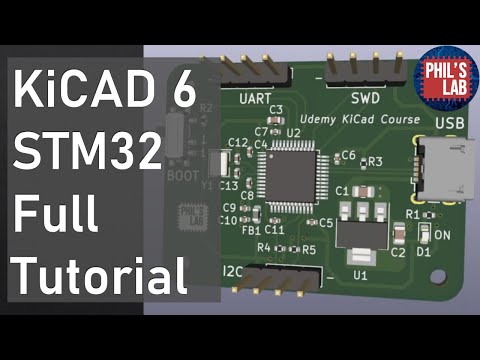
KiCad 6 STM32 PCB Design Full Tutorial - Phil's Lab #65
About this video
A 100-minute tutorial from Phil's Lab on designing an STM32-based 'black pill' PCB in KiCad 6. It covers schematic capture, two-layer layout and routing, USB, and sending the board for manufacture and assembly.
Why it appears in the archive
HN recommends it as a practical way to learn KiCad and PCB design by following one full project.
AI-generated summary and labels from the source dataset; verify important details against the video. Source & credits.
From the Hacker News discussion
A few months ago, you would have been on Kicad 6 (assuming you didn't pull some ancient 5.0 release from your distro), which I've found to have a great UI. Like all EDA software, the UI is optimized for power users, and therefore has some quirks and a learning curve for the hotkeys, but I would not say that Kicad is phenomenally bad. Work your way through one tutorial (eg. this recent one: [VIDEO] ) and make a quick-reference note for shortcuts, and you can probably be off to the races.
Read original comment ↗I'm in embedded also, I started this journey at work doing board bring-up. I wrote drivers mostly, not doing any direct electrical work, but after reading the schematics I thought, "oh wow, so that's how they do schematics professionally," followed by "wait, I can do that!" Before that, I just did a few small things with Arduino. The Youtube channel Phil's Lab has a really good series [1] on PCB design focused on STM32 series chips, that is where I started. I also got a lot of good information in this thread [2] And I got feedback on one of my designs on the PrintedCircuitBoard reddit, which is very active and full of amateur and pro-am PCB designers getting feedback. You can post a schematic or layout and people will leave high quality critiques. For vendors, I have had 2 runs made with JLCPCB (with each run having flaws; some bad, and some not too bad; my board is fairly complex/ambitious so that's part of it). I have heard PCBWay is similarly cheap and good. No quality issues but I've kept traces, spacing, and components on the larger side. I'm not good at PCB design but am having a blast with it. [1] [VIDEO] [2] [LINK] [3] [LINK]
Read original comment ↗Checking the datasheet is essential, they usually show the “must-have” parts around a chip. Beyond that, good habits are adding decoupling caps close to the pins, keeping ground solid, and following the reference layout. I also learned a lot just by listening to experienced designers explain their choices, like here: [VIDEO]
Read original comment ↗Wow, what a coincidence! Thank you for posting, this looks like a great resource. I am (a very novice, no EE background hobbyist) creating my first design right now. It seems like there are a lot of design rules that are not common knowledge. And in the electronics tinkering "community" there is basically a vertical wall in the learning curve after Arduino/breadboard. I work on embedded software for a living so I understand that side but some of the electrical stuff really doesn't have an easy learning curve. I am following along with this video: [VIDEO] and having an OK time so far. If anyone knows of any other resources I would love to know. And, is there a place, maybe a slack or discord, that would review designs? I really want to have someone look at it before it goes out but I have no clue where I would begin searching for someone to ask.
Read original comment ↗